
A Welcome Letter shows up in your inbox or mailbox, and suddenly you’re staring at a case number and an Invoice ID with no clear instructions on what to do next. That gap between receiving your credentials and actually getting into your case is where most applicants lose time, not because the process is complicated, but because nobody explains it in one place. This guide walks through exactly what NVC login requires, where people get stuck, and how to read your case status once you’re in.
What Is NVC Login?
NVC login refers to signing into the Consular Electronic Application Center (CEAC) using your case number and Invoice ID to manage your immigrant visa case with the National Visa Center (NVC). The National Visa Center doesn’t run a separate login page. Every applicant, petitioner, and attorney accesses their case through CEAC at ceac.state.gov, using the same two credentials regardless of visa category.
Diversity Visa (DV) lottery winners use a related but separate section of the same CEAC system, one that asks for a case number and a supporting identifier rather than an Invoice ID. Confirm which section applies before entering any numbers, since immigrant visa credentials fail on the DV login page and the reverse holds true as well.
What You Need Before You Complete NVC Login
You need two pieces of information before NVC login works: your case number and your Invoice ID number. Neither one substitutes for the other, and CEAC rejects the login attempt if either field is missing or mistyped.
NVC Case Number
The NVC case number is a 13-character code that starts with three letters identifying the U.S. embassy or consulate handling your case. LND signals London, MNL signals Manila, and BKK signals Bangkok, with the letters generally matching the consulate’s location code. After the three letters comes a string of numbers tied to your specific case file.
This code differs entirely from your USCIS receipt number, which begins with EAC, WAC, LIN, or SRC. Petitioners sometimes enter their USCIS receipt number into the NVC case number field by mistake, and the login attempt fails every time because the systems don’t cross-reference each other.
Invoice ID Number
NVC assigns an Invoice ID number once your case is created, and this number appears on the same Welcome Letter that lists your case number. Without the Invoice ID, CEAC has no way to verify which fees and forms belong to your file. If your Welcome Letter never arrived, contact NVC through the Public Inquiry Form rather than guessing at a number, since submitting an incorrect Invoice ID repeatedly can temporarily lock the account.
A family sponsoring three siblings under the same petition still receives one case number covering the group, but each applicant gets a distinct Invoice ID tied to their individual fee bill. Entering a sibling’s Invoice ID under the wrong applicant profile is a frequent mistake in multi-applicant cases, and it produces a fee-payment mismatch that NVC staff have to manually correct. Double-check the applicant’s full legal name printed above each Invoice ID before submitting a payment.Before submitting your application, you can also review our Visa Document Checklist to make sure you have the required documents ready.
How to Complete NVC Login on CEAC (Step-by-Step)
Completing NVC login takes five steps once you have both required numbers ready. Follow them in order, because skipping the role-selection step or rushing through CAPTCHA verification is the most frequent cause of a failed first attempt.
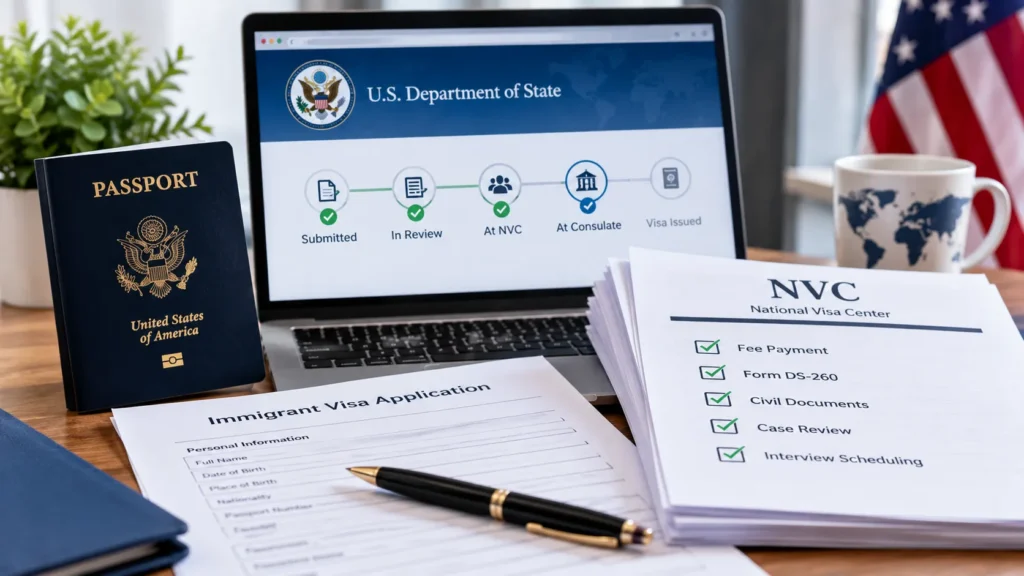
- Go to ceac.state.gov and select the Immigrant Visa portal. Bookmark this exact URL, since several lookalike sites mimic the CEAC login page.
- Enter your 13-character NVC case number. Type the letters in uppercase to match the format on your Welcome Letter.
- Enter your Invoice ID number exactly as printed, including any leading zeros.
- Select your role (applicant, petitioner, or attorney/authorized agent) before submitting the form.
- Complete the CAPTCHA and click Sign In. A correct entry lands you on the case Summary page within seconds.
Do not use your browser’s back or refresh button anywhere in this process. CEAC flags this repeatedly as a cause of lost session data, and using either button mid-session forces you to restart NVC login from scratch.
Attorneys and authorized agents follow the same five steps, though the role-selection screen asks for a G-28 Notice of Entry of Appearance reference before granting access to a client’s case file. Without that reference on file with NVC, the attorney role selection returns a “no matching authorization” message even when the case number and Invoice ID are both correct. Submitting the G-28 to NVC ahead of the first login attempt avoids this holdup entirely.
What Happens After You Log In to CEAC
Signing in successfully brings up a Summary page listing every applicant and financial sponsor tied to the case, each with its own status indicator. From that single screen, three actions become available:
- Pay the visa processing fees tied to each applicant and sponsor
- Complete the DS-260 (Online Immigrant Visa Application)
- Upload scanned civil documents, including birth certificates and police certificates
CEAC also works as an ongoing communication channel after NVC login. Applicants can update an email address, add or remove a traveling family member, and add a financial sponsor without mailing anything to NVC. A petitioner who discovers a mid-process address change, for example, updates the record directly in CEAC instead of waiting on a phone line that no longer exists, since NVC discontinued public telephone support in 2022.
Every message NVC sends about a case (a checklist notice, a fee receipt, a document rejection) posts inside CEAC rather than arriving as a standalone letter. Set a recurring reminder to log in and scan the Summary page for new messages, rather than relying on email alerts that spam filters sometimes reroute away from the primary inbox.
NVC Login Not Working? Common Errors and Fixes
Yes, NVC login failures are common, and most trace back to one of four specific causes rather than a system-wide outage. Working through each cause below resolves the majority of failed attempts within minutes.
- Incorrect case number format: Confirm the entry starts with three letters and contains exactly 13 characters total, with no spaces.
- Mismatched Invoice ID: Re-check the number against the printed Welcome Letter rather than an email screenshot, since formatting sometimes shifts in transit.
- Browser incompatibility: CEAC requires 128-bit encryption and JavaScript enabled; an outdated browser blocks the login form silently.
- CAPTCHA repeated failures: Clear the browser cache, disable ad blockers on the page, and retry rather than refreshing.
If none of these four fixes work after three attempts, the case itself may not be created yet, since NVC typically takes 2 to 4 weeks after USCIS approval to generate a case number. A locked CEAC session is a separate issue: five consecutive incorrect attempts within a short window can trigger a temporary lock on the case file as a security measure. Waiting 30 minutes usually clears the lock, and contacting NVC directly is only necessary if the lock persists past several hours.
Understanding NVC Case Status Messages
Each status message displayed after NVC login corresponds to a distinct stage in the process, and misreading one causes unnecessary Public Inquiry Form submissions. The table below breaks down the five messages applicants see most often.
| Status Message | What It Means |
| At NVC | NVC has the case but is waiting on an action from you: a fee payment, DS-260 submission, or document upload |
| In Transit | The case file is moving from NVC to the assigned U.S. embassy or consulate |
| Ready | The case has arrived at the embassy or consulate and awaits interview scheduling |
| Administrative Processing | A consular officer requested additional review or a background check before issuing the visa |
| Issued | The visa is printed and ready for delivery or pickup |
A case marked “At NVC” with no visible action item usually means the visa number isn’t current yet under the Visa Bulletin, particularly for family preference or employment-based categories. Checking the monthly Visa Bulletin alongside the CEAC status page clarifies whether the case is stalled on paperwork or stalled on visa number availability.
Documents uploaded through CEAC also display individual review statuses separate from the overall case status. A birth certificate might show “Reviewed” while an affidavit of support shows “Submitted,” meaning NVC hasn’t opened that particular file yet. Reading these line-item statuses instead of only the top-level case status prevents applicants from assuming a document was rejected when NVC simply hasn’t reached it in the review queue.
Is NVC Login the Same as CEAC or DS-260?
No, NVC login, CEAC, DS-260, and the Visa Bulletin name four different things. CEAC (Consular Electronic Application Center) is the platform; NVC login is the act of signing into it with your case number and Invoice ID; DS-260, the Online Immigrant Visa Application, is a form completed inside CEAC after signing in, which is why a search for “DS-260 login” really means NVC login. The Visa Bulletin needs no login at all: published monthly by the Department of State, it lists priority date cutoffs by category and country, showing whether a visa number exists while CEAC shows where a specific case stands.
NVC Login Security: Avoiding Scams and Phishing
Legitimate NVC communication only ever directs applicants to ceac.state.gov or nvc.state.gov, both .gov domains. Scam operators register lookalike addresses and demand a “processing fee” payable outside CEAC; NVC never requests payment through wire transfer, gift cards, or third-party payment apps. Check the address bar for the exact domain and a padlock icon before entering your case number or Invoice ID anywhere.
CEAC doesn’t offer two-factor authentication, so account security depends entirely on how carefully you guard your case number and Invoice ID. Treat both like a bank account number: share them only with the petitioner, applicant, sponsor, or attorney tied to the case, and never post them in online immigration forums.
Forgot Your NVC Login Credentials? Here’s What to Do
Losing your case number or Invoice ID doesn’t lock you out permanently, but recovering them requires going through NVC directly rather than CEAC’s login page, since the portal has no self-service password reset for these fields. Follow these steps:
- Submit a request through the Public Inquiry Form rather than guessing at either number.
- Include the petitioner’s full name and the applicant’s full name, exactly as listed on the original petition.
- Add the applicant’s date of birth to help NVC locate the correct case file.
- Include a former address, if the Welcome Letter may have gone to a previous residence with no forwarding record.
- Note the approximate date USCIS approved the petition, which speeds up NVC’s internal search.
Processing this type of inquiry typically takes several business days rather than hours. Keep a digital copy of the Welcome Letter in cloud storage going forward, since losing the physical letter is the single most common reason applicants contact NVC for credential recovery.
NVC Processing Times After Login

Signing in doesn’t move your case forward on its own. The timeline depends on how fast required steps get completed and how NVC’s current caseload is running. As of mid-2026, NVC creates new cases roughly 2 to 4 weeks after receiving an approved petition from USCIS, then reviews submitted documents in about 2 to 8 weeks. Once a case reaches Documentarily Qualified (DQ) status, meaning NVC has accepted the DS-260 and every required document, interview scheduling adds another 60 to 90 days, though the range shifts by consulate. High-volume posts like Ciudad Juárez, which processes a large share of Mexican national and K-1 fiancé visa cases, run longer than lower-volume posts, and a single unreadable police certificate or missing document resets the review clock past these estimates.
FAQs
Does NVC login require a separate account and password?
No. NVC login uses only your case number and Invoice ID; CEAC doesn’t require a separate username or password setup for immigrant visa cases.
Can I check NVC login status from a phone?
Yes. CEAC works on mobile browsers, though the site performs more reliably on a desktop browser with JavaScript fully enabled.
Why does my NVC login say “case not found”?
This typically means the case hasn’t been created yet, or the case number was typed with a formatting error. Recheck the Welcome Letter.
How often should I check my case after NVC login?
Checking every 1 to 2 weeks is sufficient. NVC status updates don’t refresh hourly, so daily checks rarely reveal new information.
Is there a fee to complete NVC login?
No. Logging into CEAC is free. Visa processing fees are paid separately inside the portal after signing in.
Conclusion
NVC login is a two-credential process (case number plus Invoice ID) that opens the door to fee payment, the DS-260 application, document uploads, and case status tracking on CEAC. Most login failures trace back to a mistyped case number, a browser missing JavaScript support, or a case that simply hasn’t been created yet by NVC. Bookmark ceac.state.gov, keep the Welcome Letter stored digitally, and check status roughly every two weeks rather than daily to track a case from “At NVC” through to “Issued.”